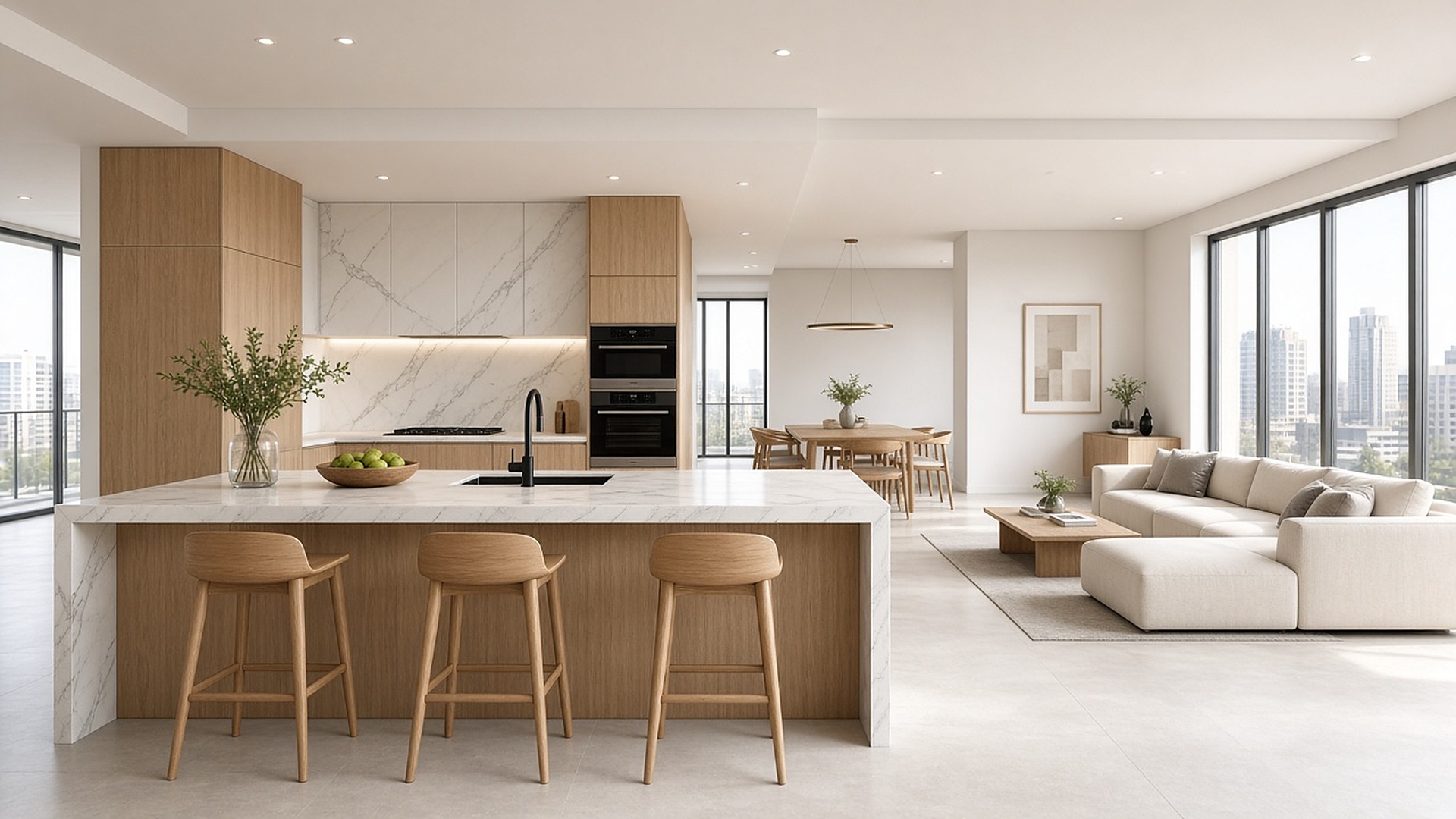
A 360 virtual tour lets buyers and tenants walk through a property from their phone, laptop or VR headset, at any hour and from anywhere. For UK estate agents, developers and landlords, a good property virtual tour filters out unsuitable viewings, widens the pool of buyers and helps off-plan homes sell before the first brick is laid. This guide explains the types of virtual tour, what they cost in effort, how to make them and how to get the most from them.
What is a 360 virtual tour?
A 360 virtual tour is a series of linked panoramic images. Visitors look in every direction from each viewpoint and move between rooms by clicking hotspots. Tours can include floor plans, room labels, background music, measurements and links to enquiry forms. They run in a web browser, so nothing needs installing, and they can be embedded in a listing page or shared as a single link.
The term is often used alongside 3D virtual tour and real estate 3D tour. In practice, there are two quite different approaches: tours captured in an existing building, and tours generated from a 3D model of a building that has not been built yet.
Photographed tours vs rendered 3D tours
Photographed 360 tours
For finished properties, panoramic photographs are taken with a 360 camera or a DSLR on a panoramic head. The photographs are stitched, colour-corrected and linked into a tour. Good lighting, tidy rooms and level tripods matter more than expensive kit.
Rendered 3D virtual tours
For off-plan property and refurbishments, photography is impossible, so the tour is built from a 3D model. Each viewpoint is rendered as a 360-degree panorama with photorealistic materials and lighting, then linked into a tour in the same way. This lets developers market homes while they are still on the drawing board, and lets buyers compare finish options. You can see rendered 360-degree panoramas in our Watton street visualisation and the winter and dusk panoramas of The Farm.
Why estate agents and developers use virtual tours
- More qualified viewings. Buyers who have already toured a property online arrive better informed.
- Wider reach. Overseas investors and relocating buyers can view a home without travelling.
- Off-plan sales. A rendered tour lets people experience layouts and finishes before completion.
- Listing quality. Pages with interactive content stand out in crowded property portals and on a developer’s own website.
- Time saved. Fewer wasted viewings free agents to focus on serious buyers.
What makes a good property virtual tour?
- Logical route. Start at the entrance and follow the natural flow through the property.
- Consistent camera height. Keep viewpoints at eye level so movement feels natural.
- Good light. Natural daylight and balanced exposure make rooms look welcoming and accurate.
- Clear navigation. Obvious hotspots, room names and a mini floor plan stop visitors getting lost.
- Fast loading. Compressed images and mobile-friendly delivery keep visitors from leaving.
- A call to action. Include contact details or an enquiry form inside the tour or directly beside it.
Step by step: creating a 360 virtual tour
1. Plan the viewpoints
Walk the property or study the plans and choose one viewpoint per room, plus extra for large open-plan spaces and key outdoor areas. For a rendered tour, the 3D model is checked so every viewpoint has furniture and finishes in place.
2. Capture or render
Photographed tours use a tripod and a full 360-degree capture. Rendered tours produce a high-resolution spherical panorama from each camera position. Either way, consistent lighting is essential.
3. Process and link
Images are stitched or finalised, tripods and equipment are removed, and the panoramas are linked with hotspots, labels and floor plan markers.
4. Publish and embed
Tours are published to a web page and embedded on your site or listing. On a WordPress site, a virtual tour plugin can host panoramas directly, so no external viewer is required.
5. Share and measure
Add the tour link to property listings, emails and social posts. Watch which rooms attract the longest views and which enquiries arrive from the tour.
Using virtual reality and interactive 3D
A tour viewed through a VR headset gives an immersive sense of scale that flat images struggle to deliver, which is helpful for design reviews and high-value sales. Interactive 3D models go further, allowing visitors to move freely instead of jumping between fixed viewpoints. If you are considering a branded property site with these features, our web and 3D projects show what is possible.
Virtual tour vs video vs 3D walkthrough
- Virtual tour: the viewer controls the experience, ideal for listings and self-guided exploration.
- Property video: a fixed story with music and narration, perfect for social media and introductions.
- 3D walkthrough or fly-through: a rendered camera path through an unbuilt scheme, excellent for showcasing architecture and atmosphere.
Many campaigns use all three: a short 3D walkthrough to attract attention, a virtual tour for detailed exploration, and polished stills for brochures and portals. Our architectural visualisation guide explains how these formats fit together.
Common mistakes to avoid
- Cluttered rooms, personal items or visible tripods in panoramas.
- Mixed lighting, so some rooms look yellow and others blue.
- Too few viewpoints, leaving gaps in the layout.
- Huge image files that make mobile loading slow.
- Tours hidden on a separate page rather than shown prominently on the listing.
Virtual tours for lettings, show homes and refurbishments
A property virtual tour is not only for new-build sales. Letting agents use tours so tenants can shortlist flats from another city, and landlords use them to reduce void periods. Developers replace or supplement physical show homes with rendered tours that show several finish packages in the same layout. For a refurbishment, a rendered tour of the finished design lets owners agree the scheme before work starts, which avoids expensive changes later.
Making your tour easy to find
A tour is only useful if people see it. Give the page a clear title such as “360 virtual tour of [address]”, write a short introduction that mentions the type of property and its location, and add descriptive alt text to preview images. Embed the tour near the top of the listing, share the direct link in email campaigns, and add it to social posts with a still image as a teaser. Keep file sizes sensible so the page loads quickly on mobile networks, which also helps search visibility.
Frequently asked questions
How many rooms or viewpoints does a tour need?
One per room is a sensible baseline, with extra points for open-plan areas, hallways between key rooms and exterior spaces.
Can a virtual tour be made before a building is finished?
Yes. A 3D model produces rendered panoramas, which are linked exactly like a photographed tour.
Do virtual tours work on mobile phones?
Yes. Modern tours run in a mobile browser and respond to touch or the phone’s motion sensors.
Will a tour replace physical viewings?
No, but it reduces unnecessary visits and gives serious buyers more confidence before they visit.
Get a virtual tour for your property or development
Whether you need rendered panoramas for an off-plan development or an interactive tour embedded in your website, see our 3D virtual tour and visualisation services, browse the project gallery, and read how visuals support consents in our guide to planning application visuals.